UX/UI DESIGN
(3 MONTHS)
THE BACKGROUND
Drowsy driving causes tens of thousands of crashes and hundreds of deaths each year in the U.S., a problem intensified by increasingly long daily commutes that leave drivers fatigued and less alert. Existing countermeasures—like caffeine, entertainment, or reactive car safety features—offer only short-term or insufficient support, revealing a clear opportunity to design more proactive, effective ways to keep drivers awake and engaged.
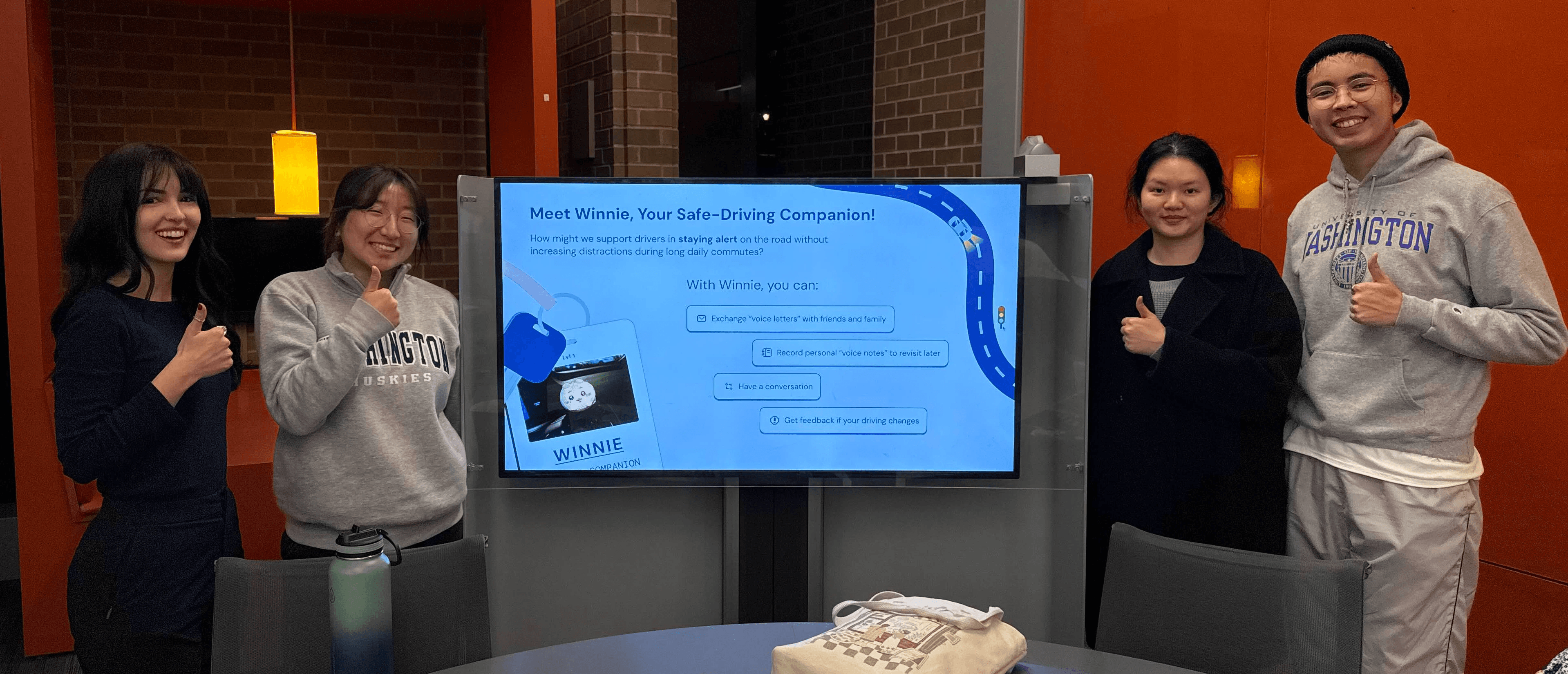
This project took place during the Autumn quarter of my first year in the MS in Human-Centered Design & Engineering program (2025). I collaborated with my dear teammates, Noraa, AJ, and Jade, throughout its duration. Over the span of ten weeks, we identified a design problem, developed a solution, and ultimately presented our work at a final showcase.
MY ROLE
THE CHALLENGE
With the current state of the driving space, this got us thinking:
How might we support drivers in staying alert and engaged during their long daily commutes, without introducing additional distractions that could compromise safety?
THE SOLUTION
Physical Companion
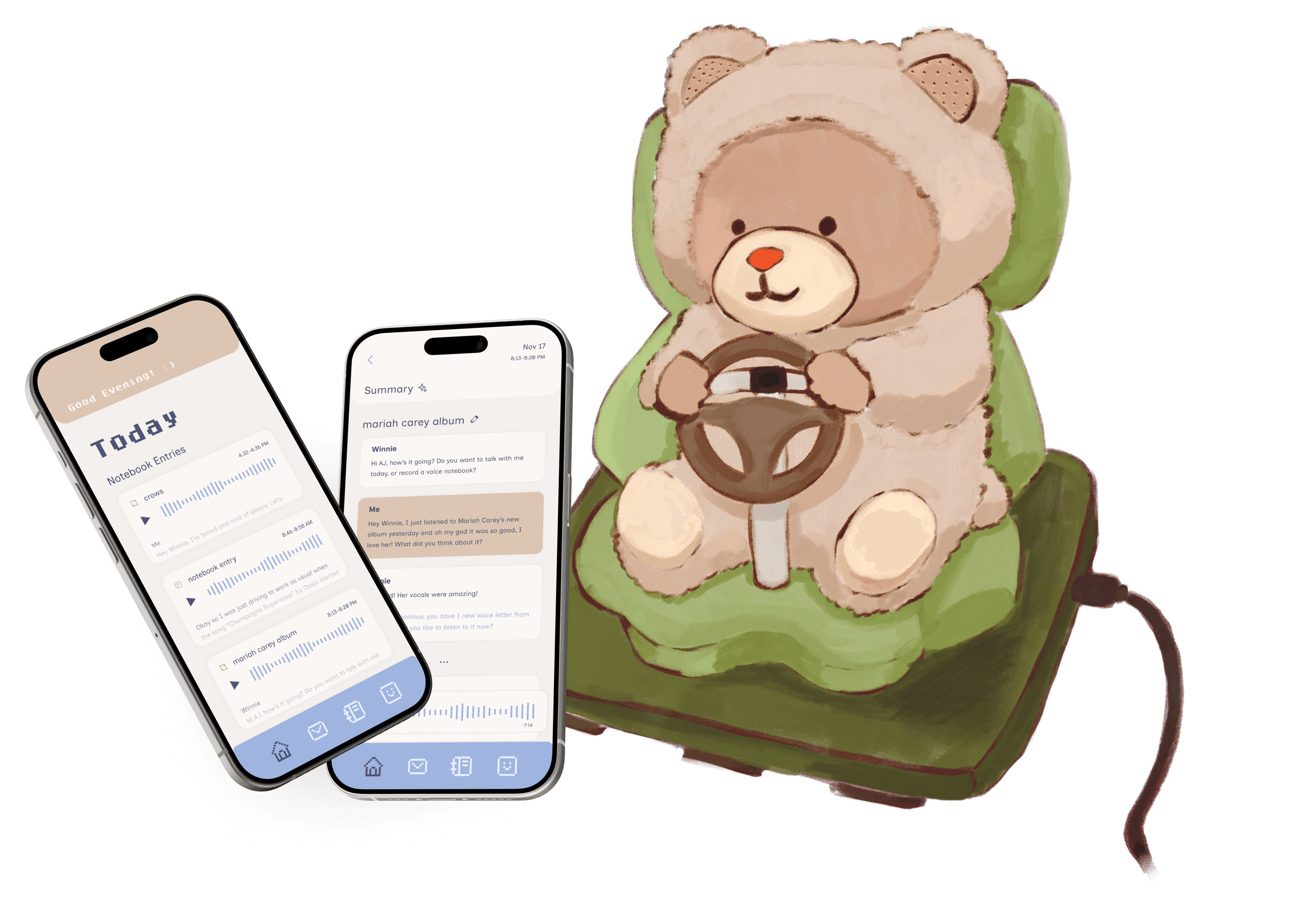
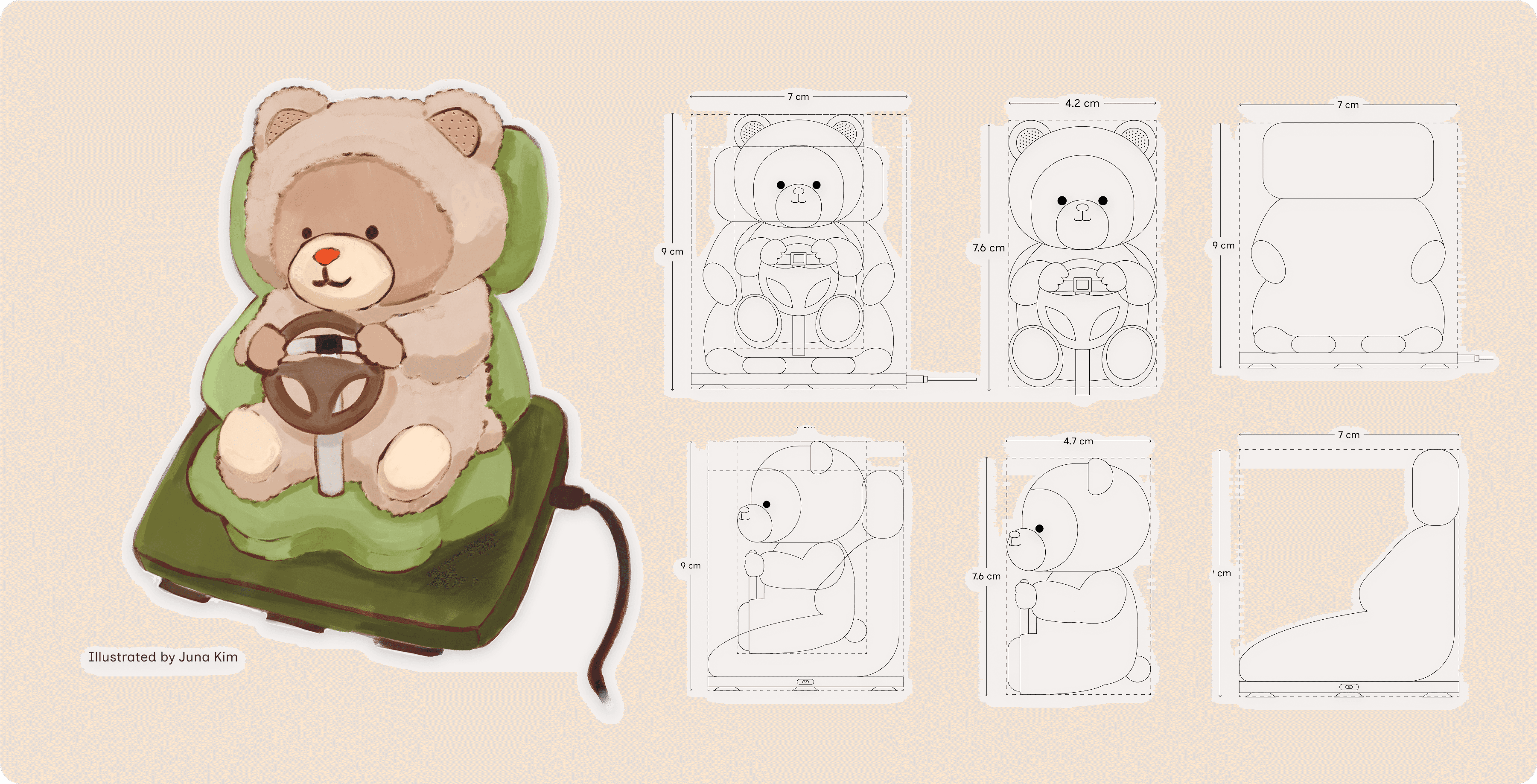
Tini (tee-nee) the Teddy is a voice AI driving companion designed to keep you awake, engaged, and safe on the road through audio engagement. Small enough to place on your car’s dashboard, Tini not only helps you navigate the roads, but holds real conversations with you like having a friend tagging along on your commute. Tini uses an LLM-based agent to maintain natural conversation, connects via USB-C, and features a touch-sensitive nose for manual activation, with microphones embedded in the ears for clear voice input. A suction cup base ensures the companion remains stable while the vehicle is in motion.

Voice Letters
Exchange audio messages with friends and family, like receiving mail every time you get in the car.
Voice Notes
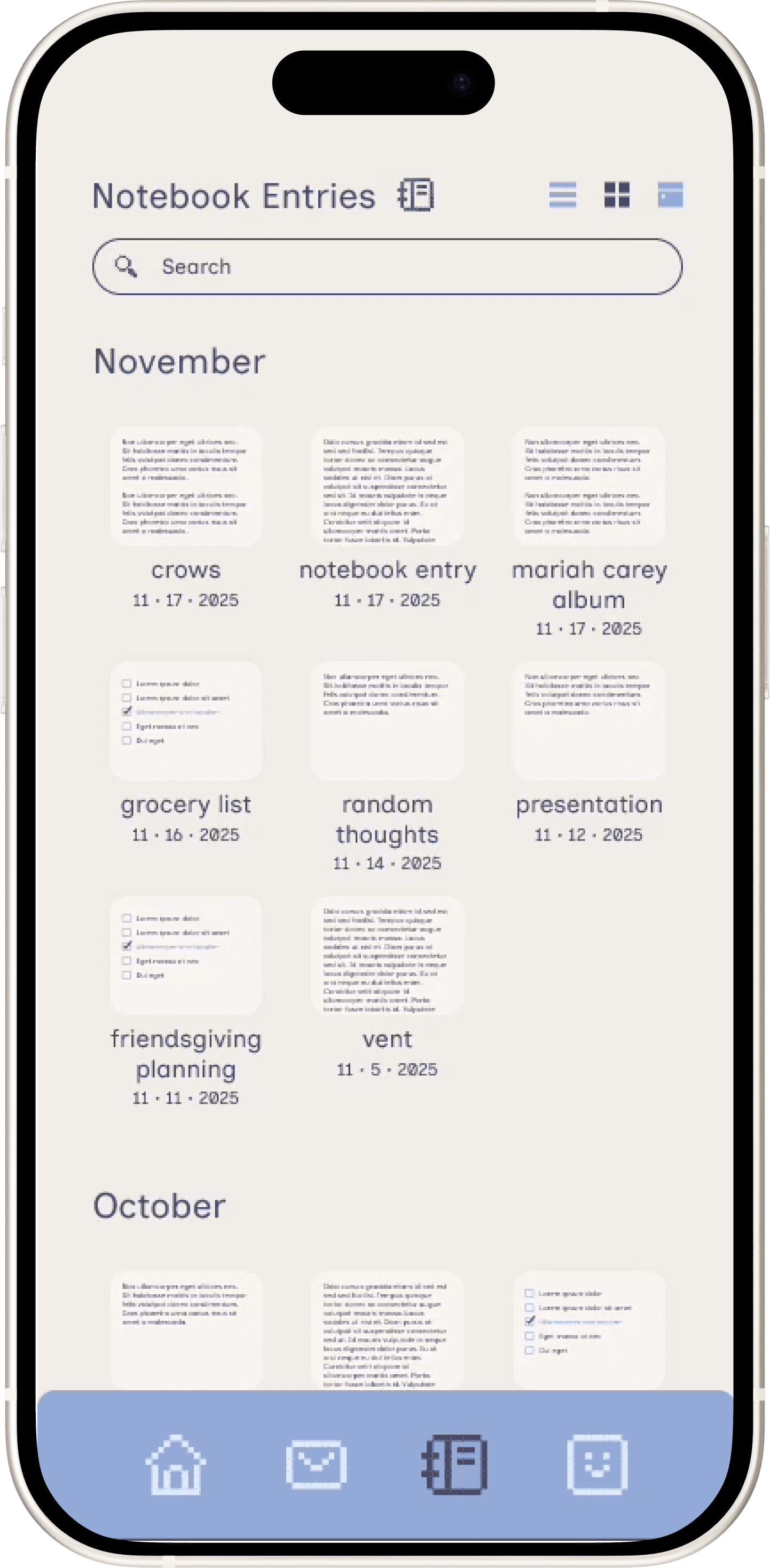
Capture anything on your mind, like grocery lists, work ideas, or a good venting session, all recorded in your personal voice notebook for later.
Conversations
Tini has personality. Ask them anything from "What's your favorite movie?" to "Explain how photosynthesis works": she's knowledgeable, curious, and genuinely engaging.
Safety Monitoring
Tini has their own system of movement detection technology to detect unusual driving patterns and gently alert you if something seems off.
Car Integration
Hands-free calls, navigation, weather updates, and music control are available through Bluetooth integration with your mobile device.
Companion App
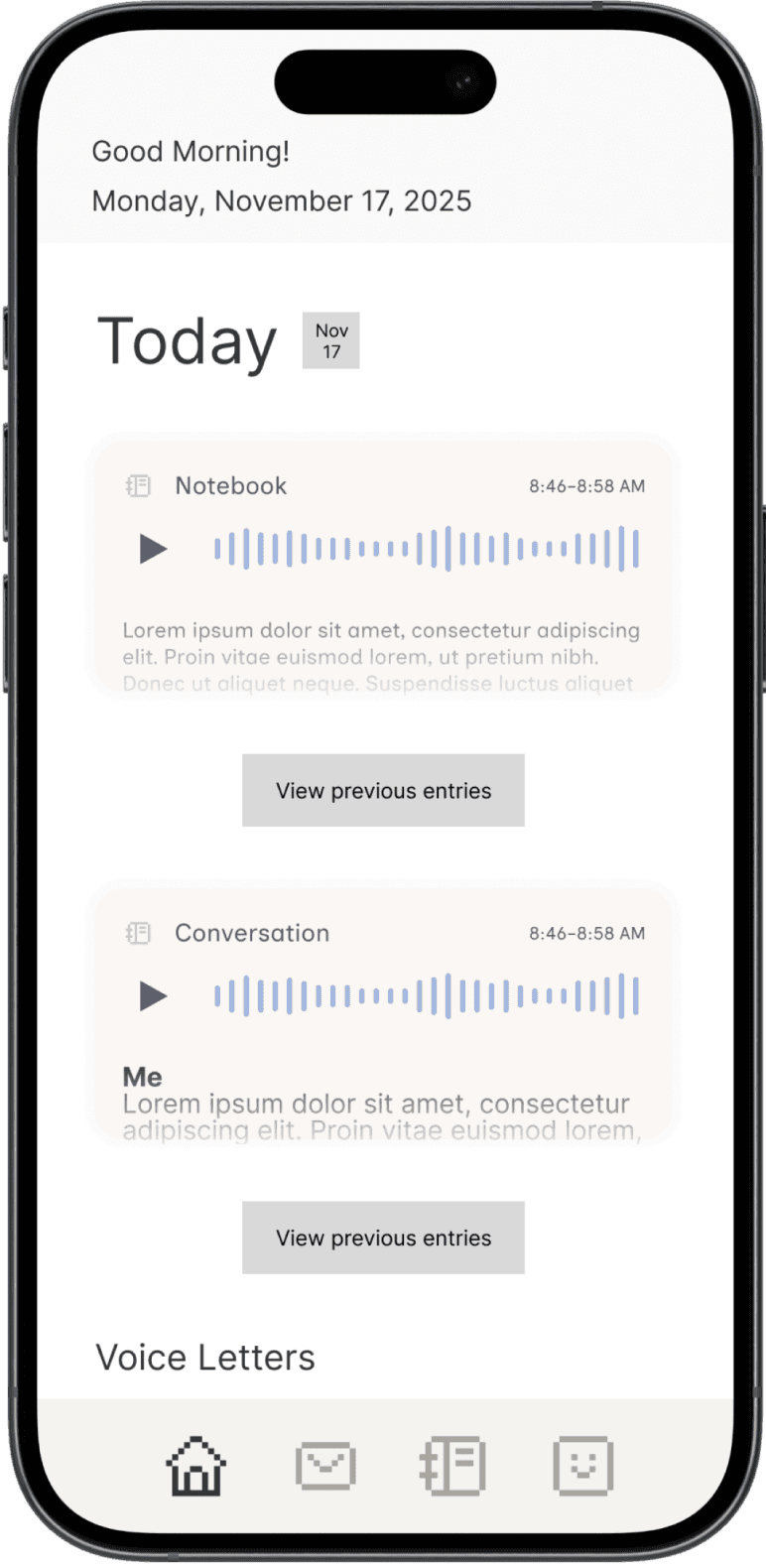
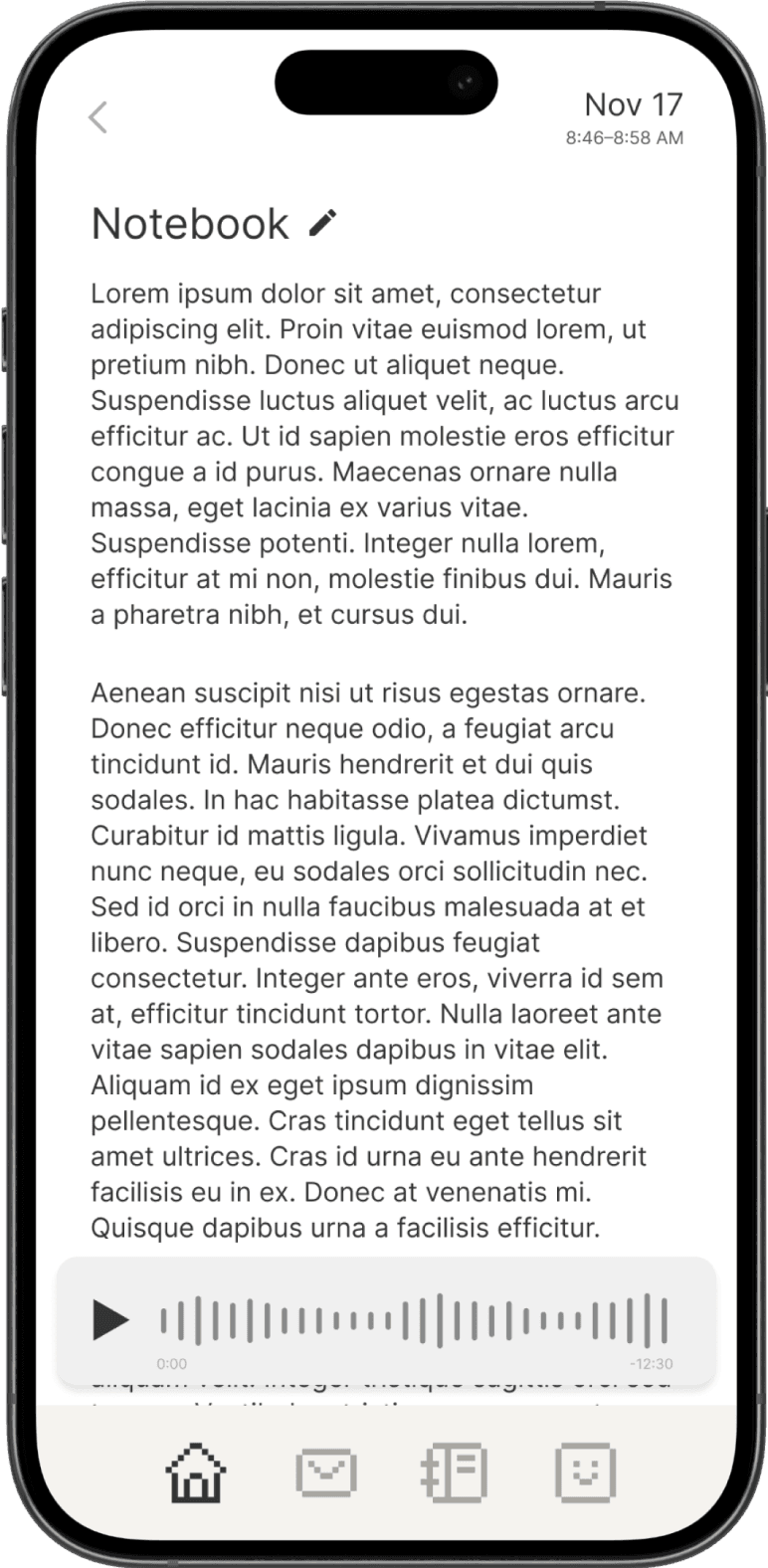
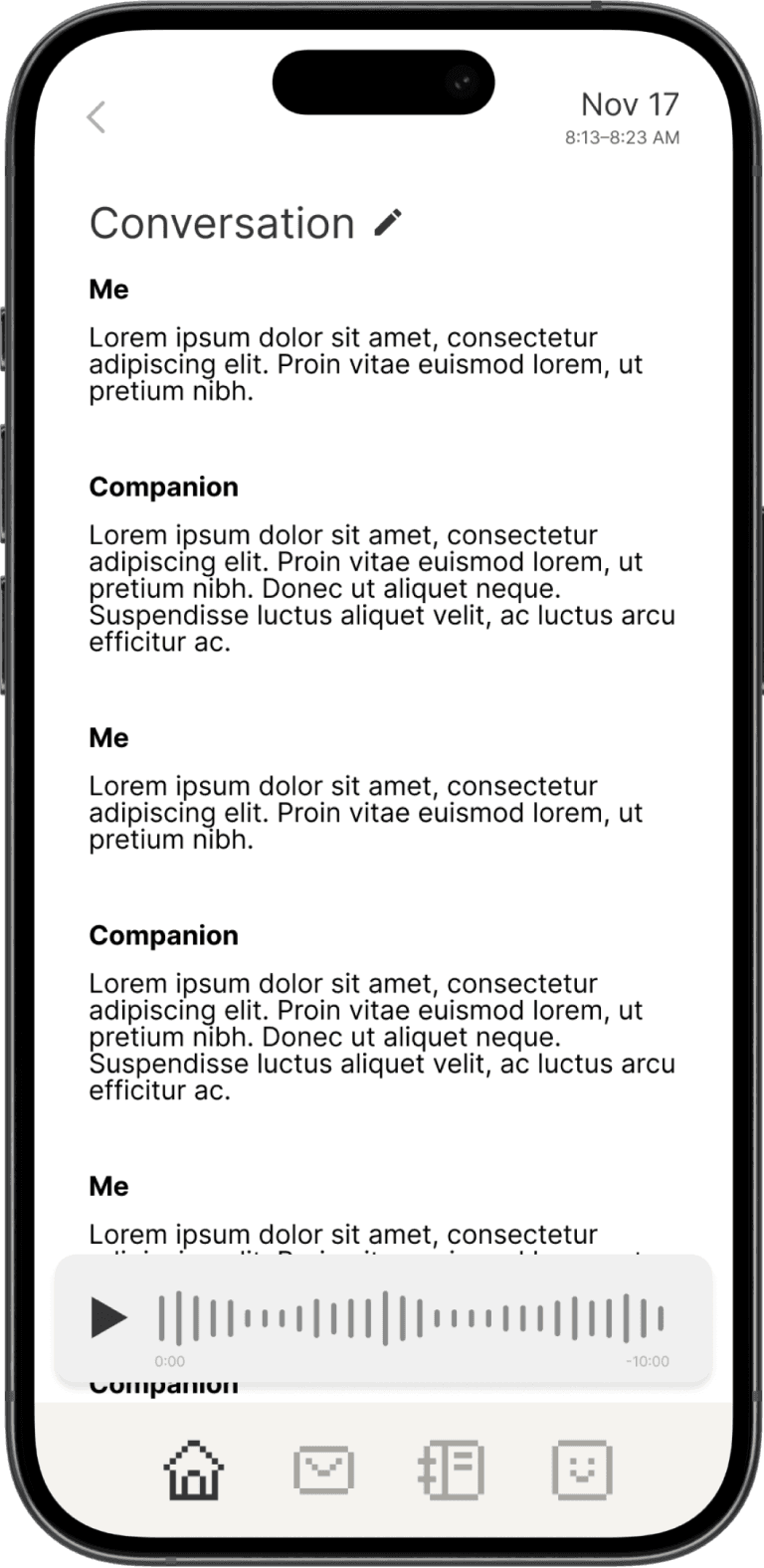
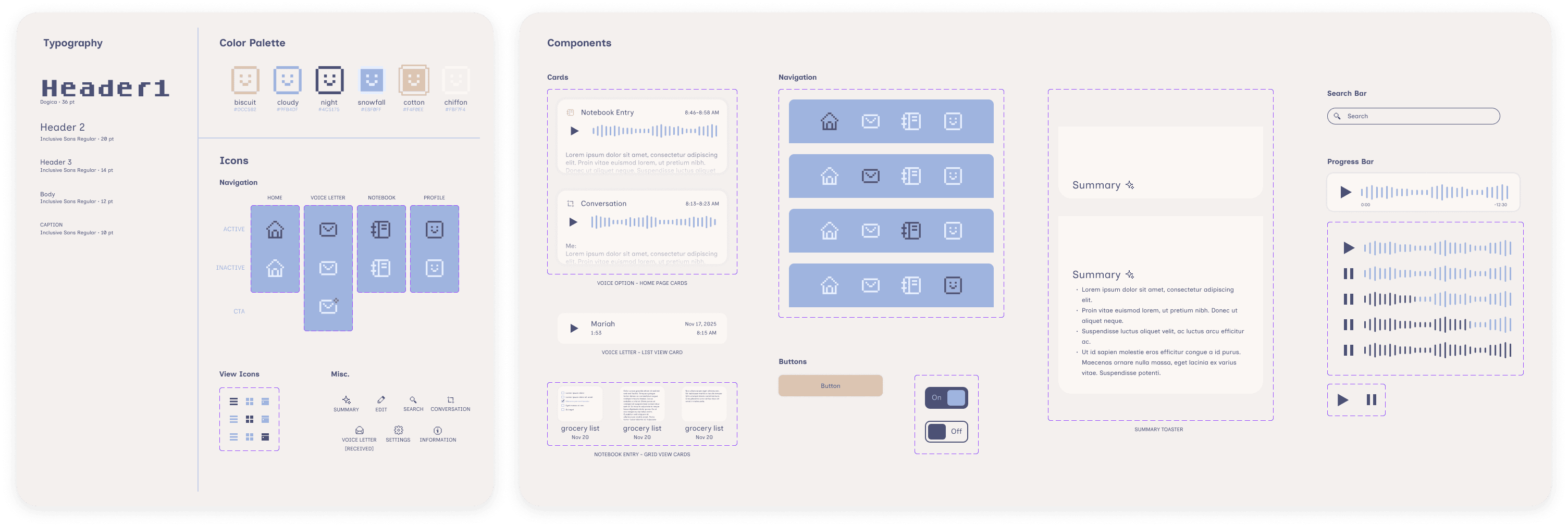
The companion app houses all the audio recordings and transcriptions from your conversations and voice notes with Tini, along with any voice letters between you and your friends to revisit at any time. The app also summarizes your conversations and voice notes to give you a quick overview of what you talked about.
What did I talk about with Tini today?
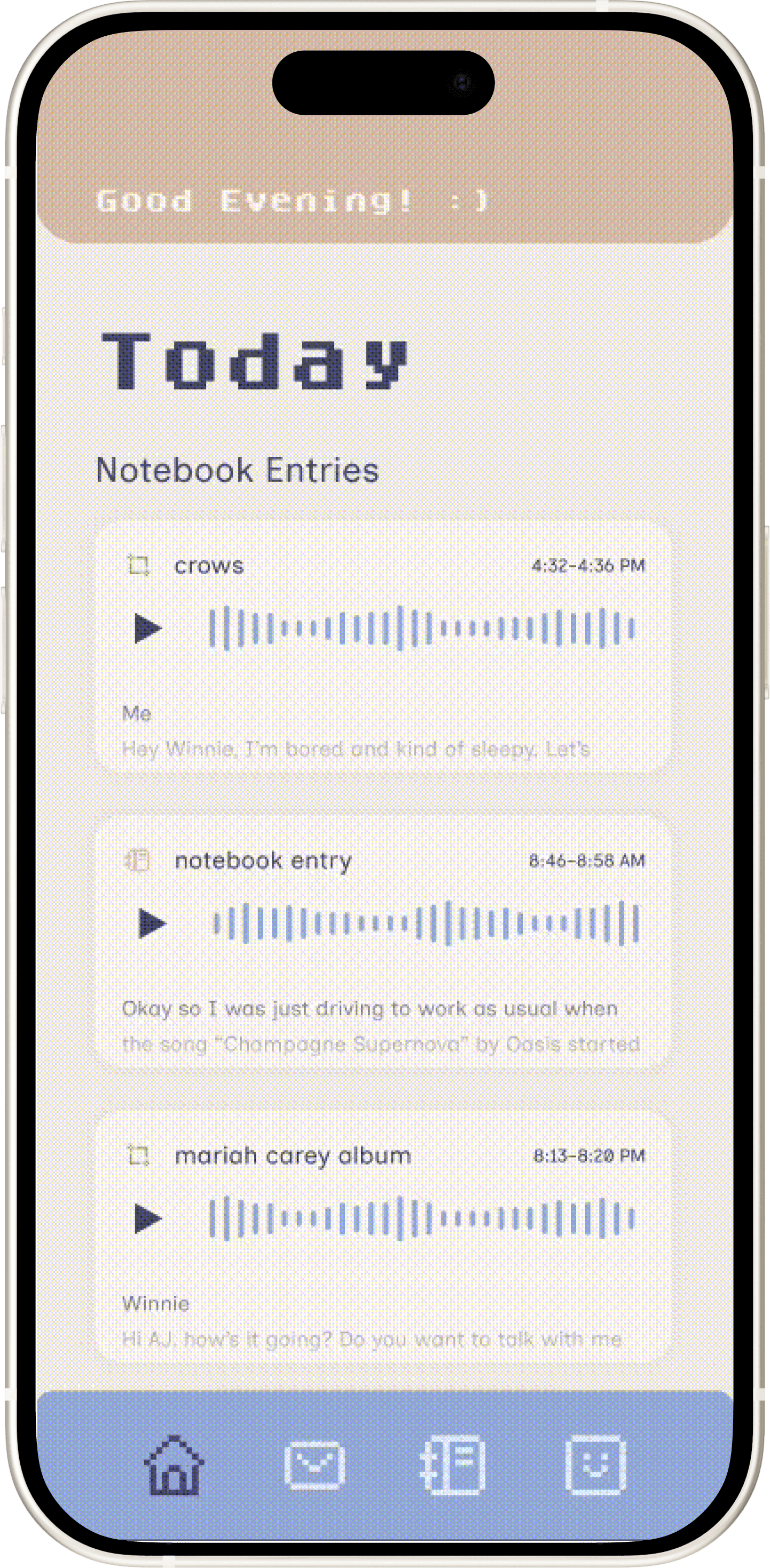
View that day's notebook entries, conversations, and voice letters on the home page. Past entries can be viewed in their respective tabs, or by tapping on "View more notebook entries" or "View more voice letters."
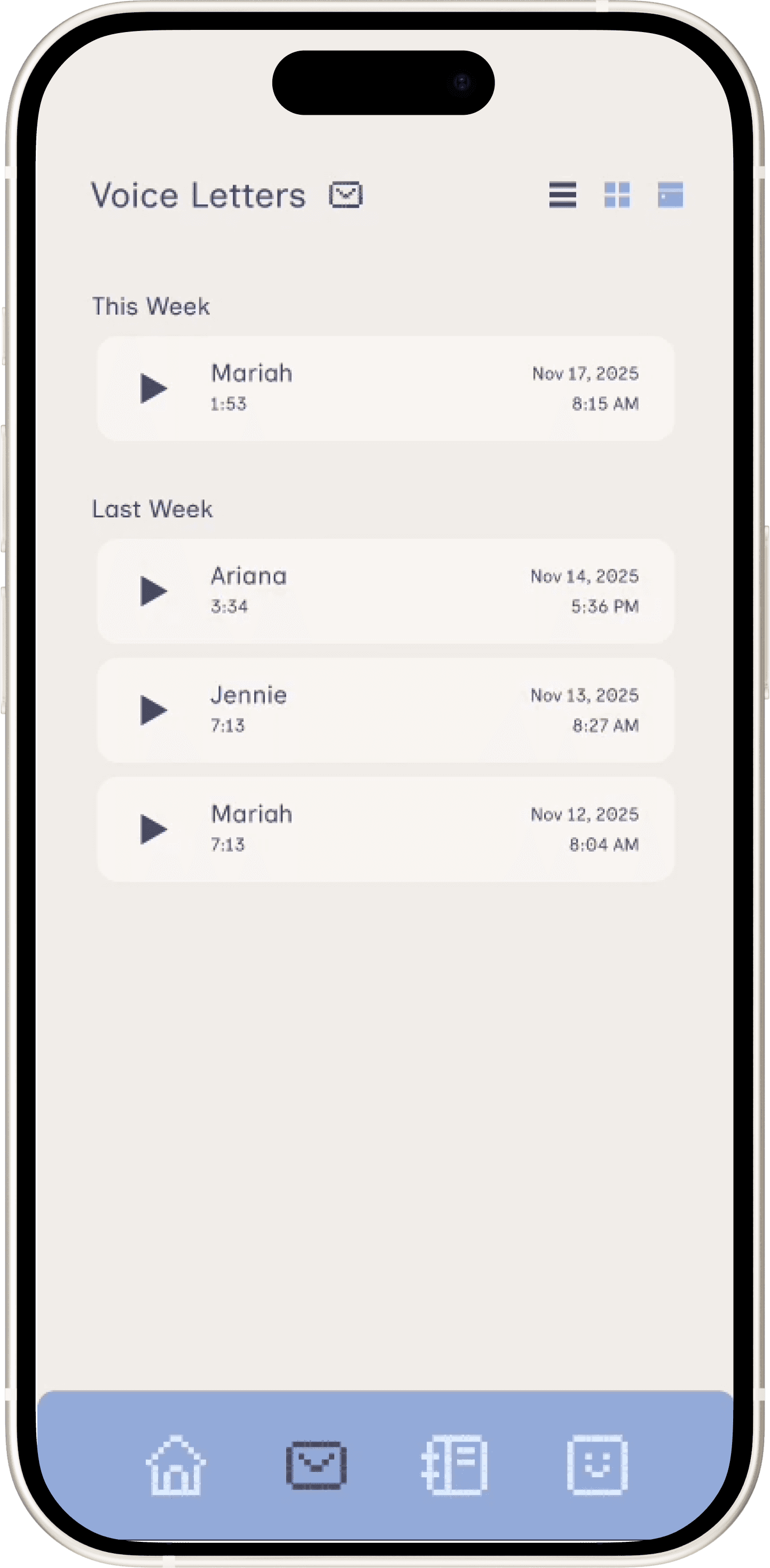
You have 1 new voice letter
Play back voice letters from friends and family and send them a reply the next time they talk to Tini.
…What did I have to buy again?
Look back and listen to past notebook entries and conversations, or read a quick AI summary for a quick refresher. Looking for something specific? Search using keywords to find it quick!
THE RESEARCH
Methods
We utilized 3 different research methods to explore the driver focus space, each with its individual strengths to complement one another.
Interviews (8 participants): Broad exploration of driver sentiment and pain points to narrow down problem space
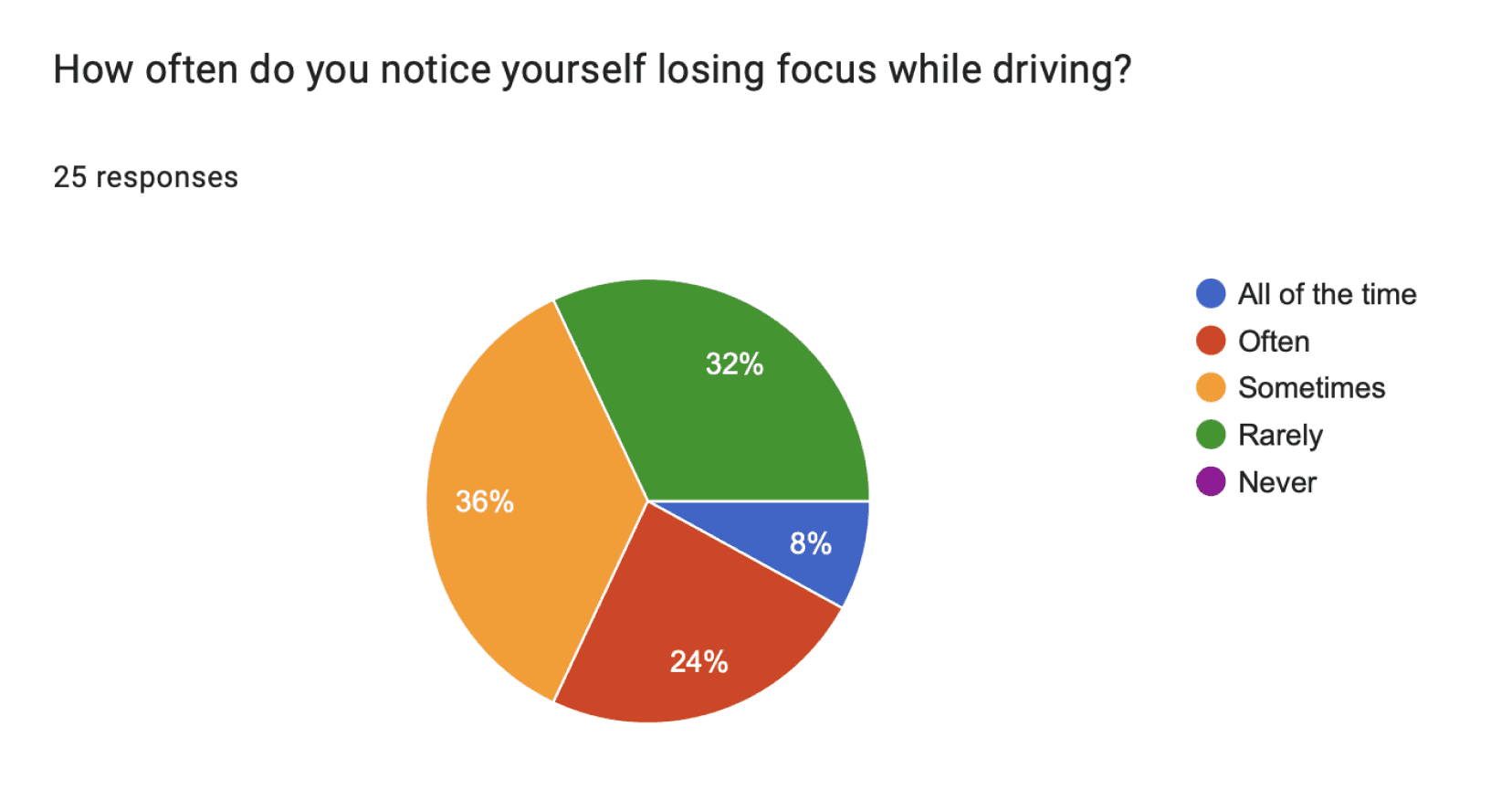
Survey (25 respondents): In-depth information gathering with users who were a strong fit for our problem space (drivers with long commutes)
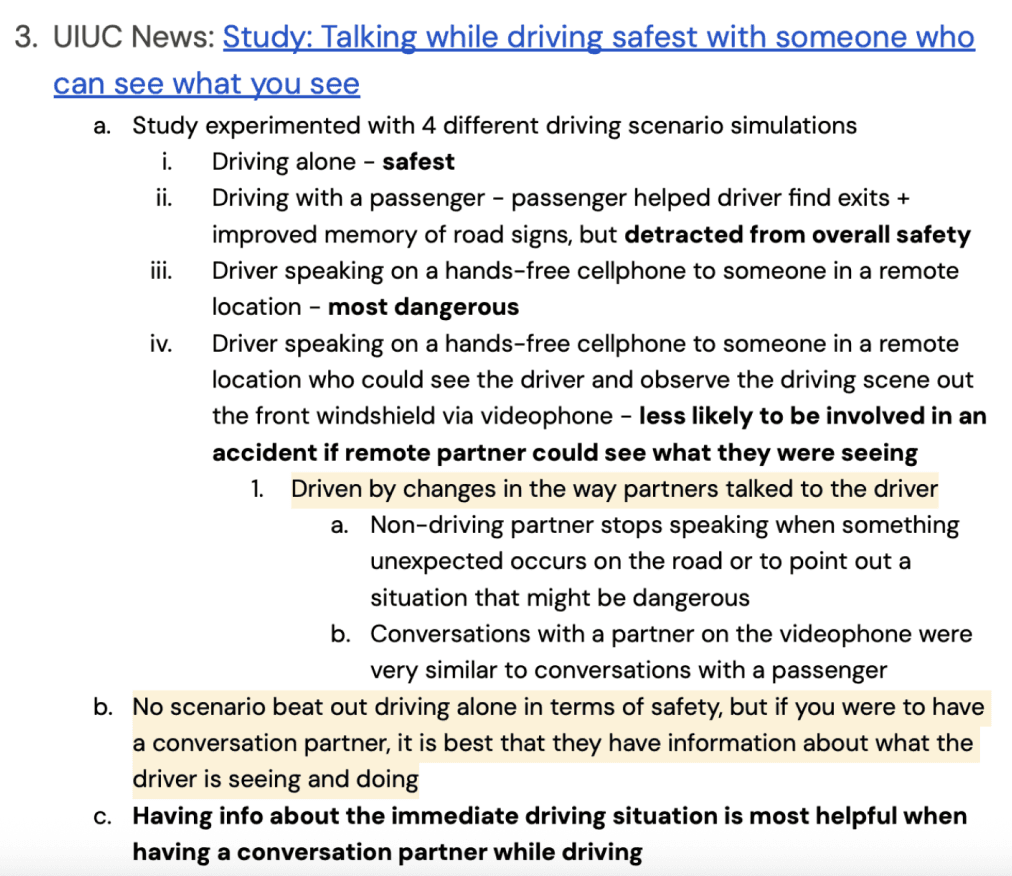
Indirect observation: Social media listening (TikTok, Reddit, Quora) and secondary research (UIUC study) provided more diverse opinions and insights from pre-existing research.


Key Findings
Personas
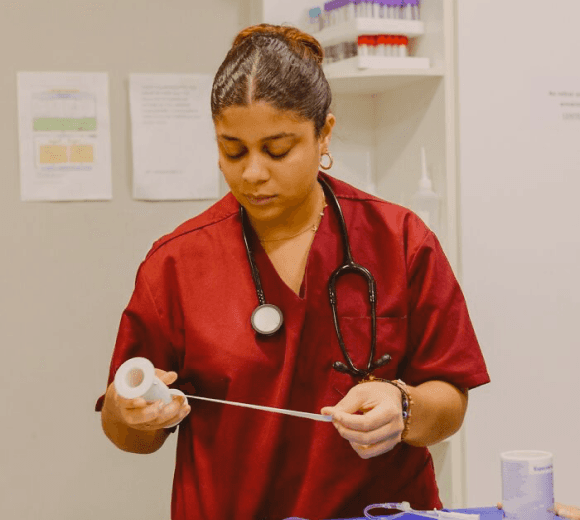
We created 2 personas, Nicole and Peter, centered around our core key points: drowsiness and boredom to inform and humanize our design decisions.
Demographics
26 years old
Uses she/her/hers pronouns
Works as a nurse
Lives in suburban San Diego, but commutes to the urban area
Commute time is 45 min, always without traffic due to her unconventional commute hours
Goals
Minimize fatigue to provide consistent, quality care to her patients
Make it back home safely, particularly when ending a shift at night
Keep a balance between work and life
Stay informed about upcoming shift requirements while in the car
Often tired from long shifts or commuting during early/late hours
Cannot drink caffeine on her commute back home so that it does not affect her sleep
Even loud music isn’t enough to keep her from dozing off
Drives a car without modern safety features like lane-keep assist and blind spot monitoring
Behaviors
Takes different routes to work depending on traffic (uses Google Maps)
Sometimes calls her mother to stay alert during her drive
Rolls down her windows to let cold air in
Sometimes drives her coworker home if their shifts line up
Pain Points
Nicole
24 | Nurse | she/her
Nicole is a nurse at a busy hospital in San Diego’s city center. She works rotating shifts and commutes from her family’s home in a suburb of Chula Vista, a neighboring city.
“I feel so tired after my shift and I’m just trying to keep my eyes open at that point.”
PRIMARY STAKEHOLDER

Peter
34 | Auditor | he/him
Peter is an auditor at a firm in Downtown Los Angeles. He works from 9 AM to 5 PM, often commuting during rush hours from his family home in Redondo Beach.
“Even if I wake up earlier, I’m still going to be stuck in LA traffic.”
Demographics
34 years old
Uses he/him pronouns
Works as an auditor at a firm
Lives in suburban area, but commutes to the urban area
Drives a car with modern safety features
Commute time is 30 min without traffic, 1 hr with traffic
Goals
Balance alertness with the enjoyment of his drive
Make productive use of his commute
Spend more time with family
Arrive at his workplace feeling calm so it doesn’t affect his performance
Feeling bored during long commutes through highway traffic
Being engaged in podcast conversations distracts him from his surroundings
Other drivers in LA traffic are aggressive; he needs to constantly stay vigilant
Behaviors
Enjoys listening to audiobooks and podcasts on the car because it feels productive
If not those, then he loves to listen to his daughter’s favorite pop girls to stay connected with her
Bad at multitasking, he cannot hold a conversation while driving
Pain Points
PRIMARY STAKEHOLDER
THE IDEATION
Sketching
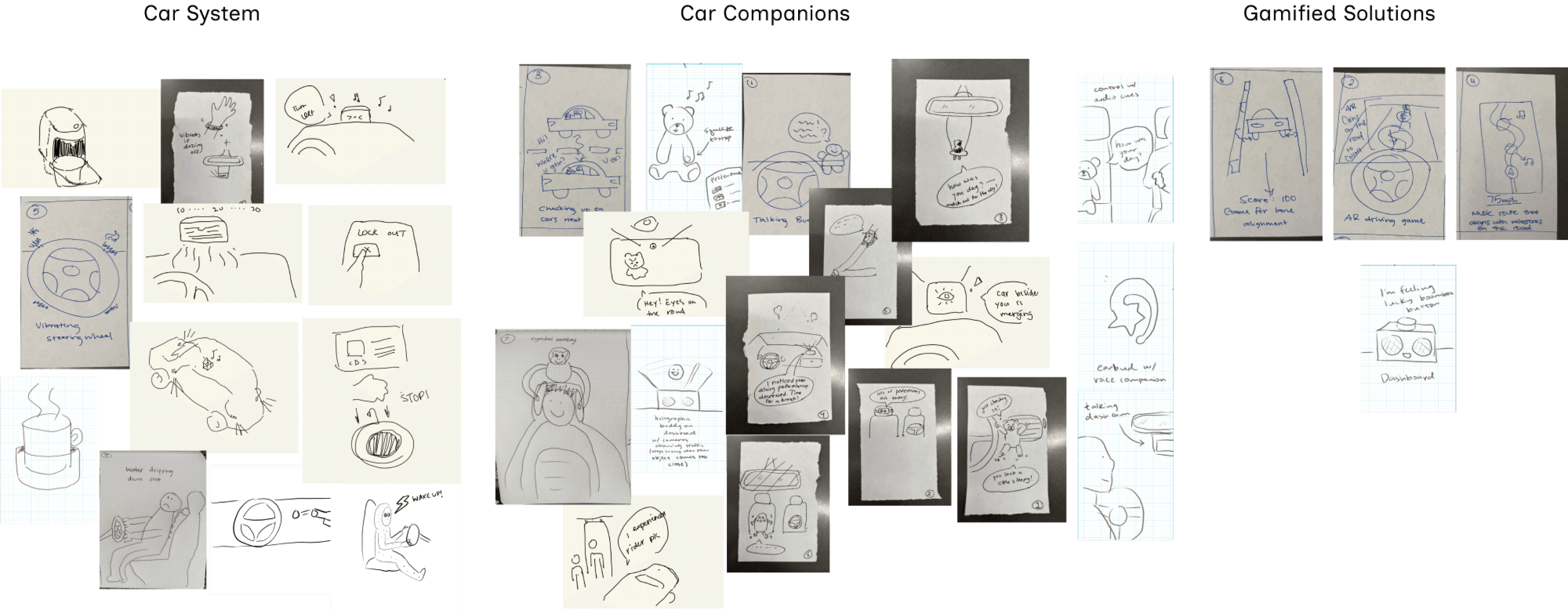
With our research in mind, our team sketched various different solutions to approach our problem. We used affinity mapping to group together similar ideas and identify interesting solutions.
3 Concepts
We identified 3 common categories across our ideas and fleshed them out some more.
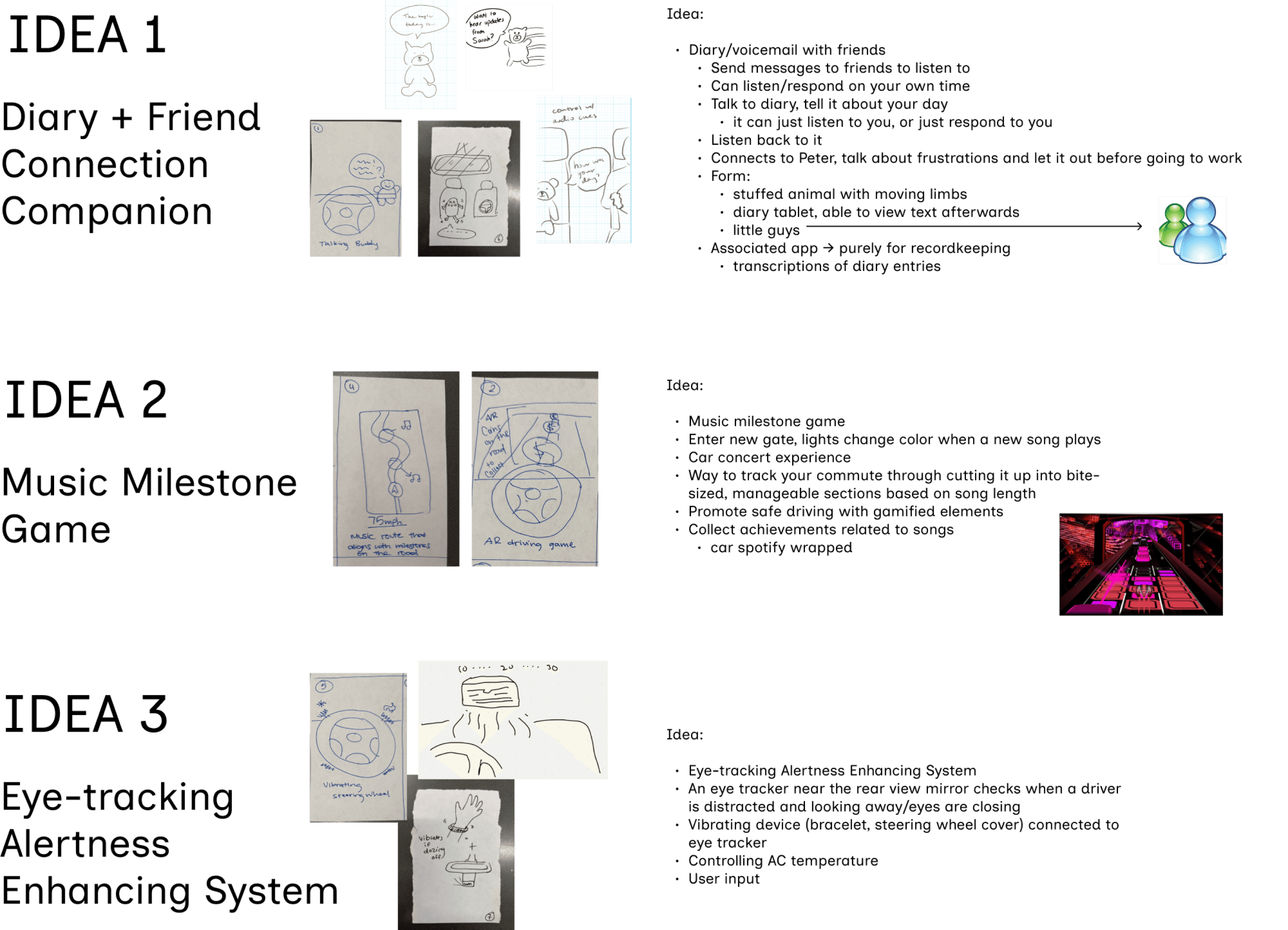
We decided on the Diary + Friend Connection Companion direction since it addressed Nicole and Peter’s pain points through auditory engagement. It also introduced a social aspect along with personal usage for drivers who preferred to have another passenger with them in the car. As a solution that completely relies on audio, the companion reduces visual distractions present in our other concepts that could introduce more safety risks.
THE PROTOTYPING + ITERATION
Pilot Tests - Cardboard + Wizard-of-Oz Prototyping
We began piloting our usability testing with a low-fidelity setup: Participants pretended to drive using a cardboard wheel and pedals while watching a pre-recorded POV driving video. We implemented “Wizard-of-Oz” prototyping for the companion, using a stuffed animal voice acted by one of our teammates, Jade, to communicate with the participant through a phone.
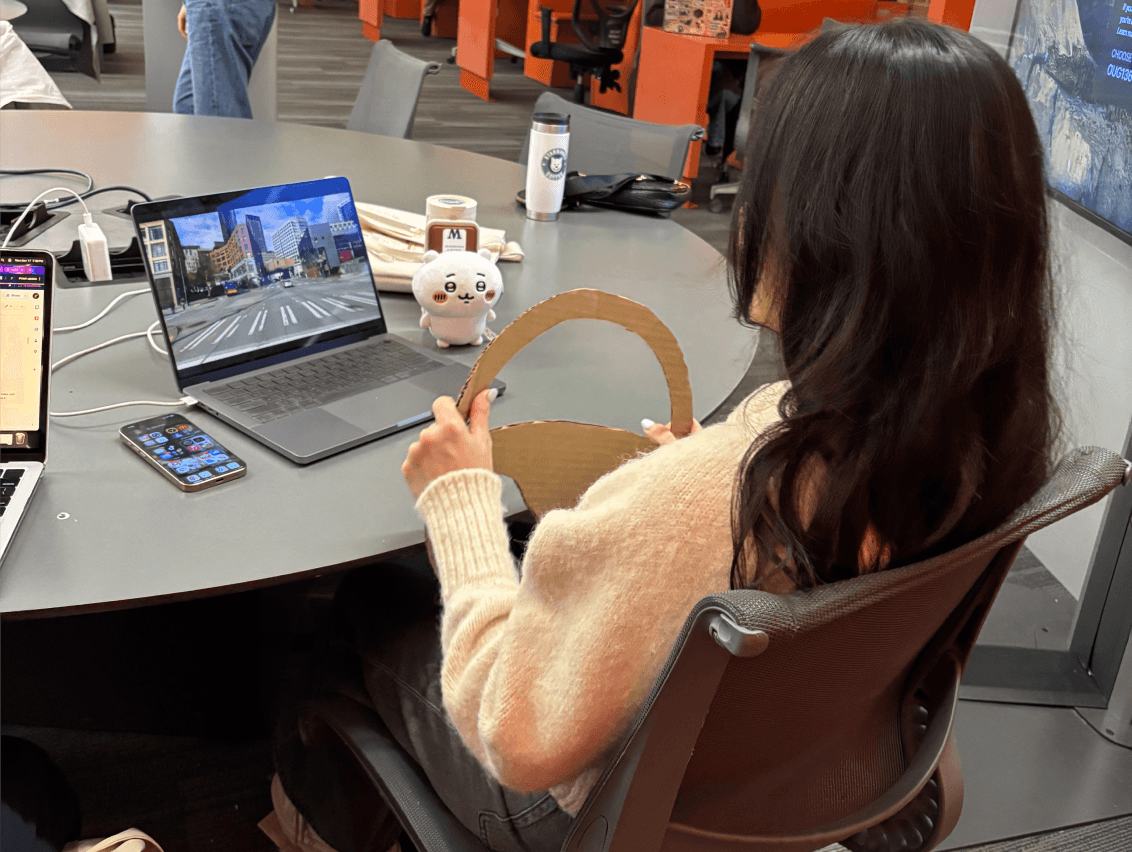
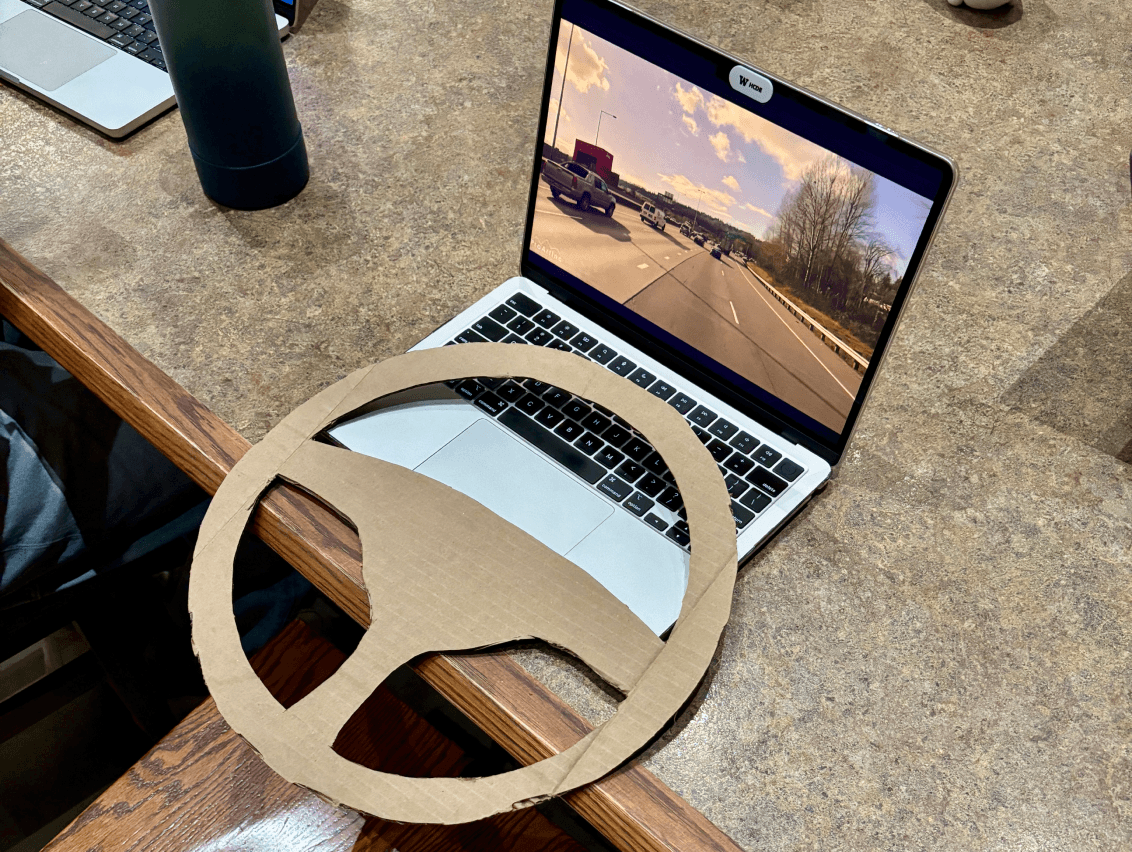
From our pilot tests, we found that the low-fidelity setup made it difficult for participants to fully step into the role of a driver and clearly hear the companion’s voice.
Usability Testing - Driving Simulation
This insight led us to move our main usability tests into a real car, placing participants in the driver’s seat so we could observe how they interacted with the companion as well as the car’s features to better understand their usability expectations.
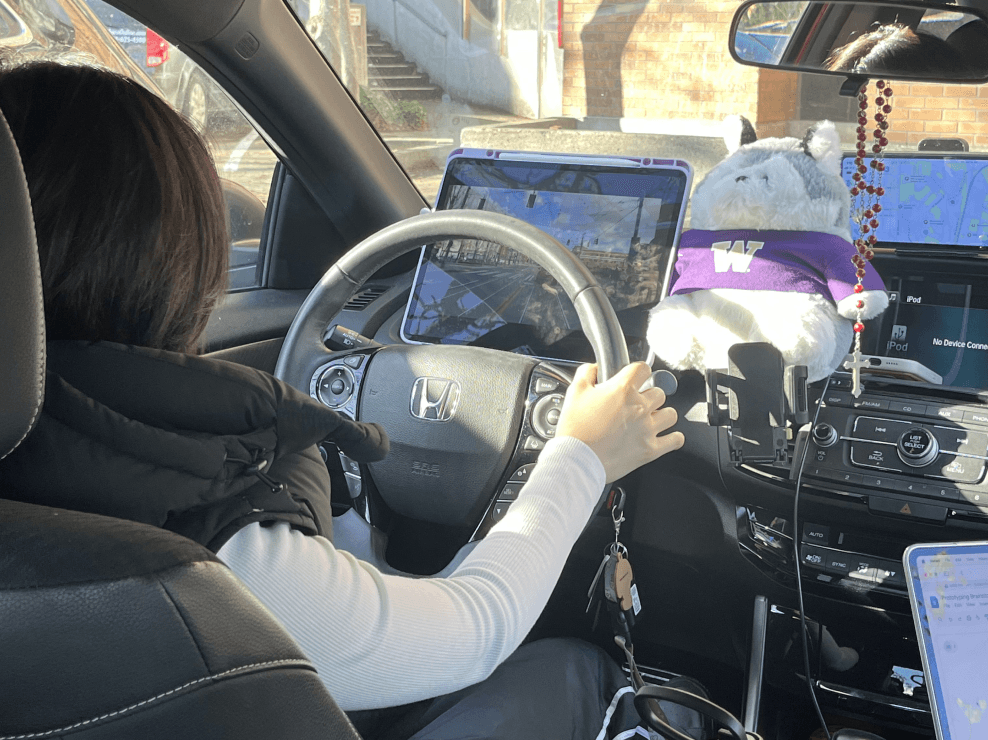
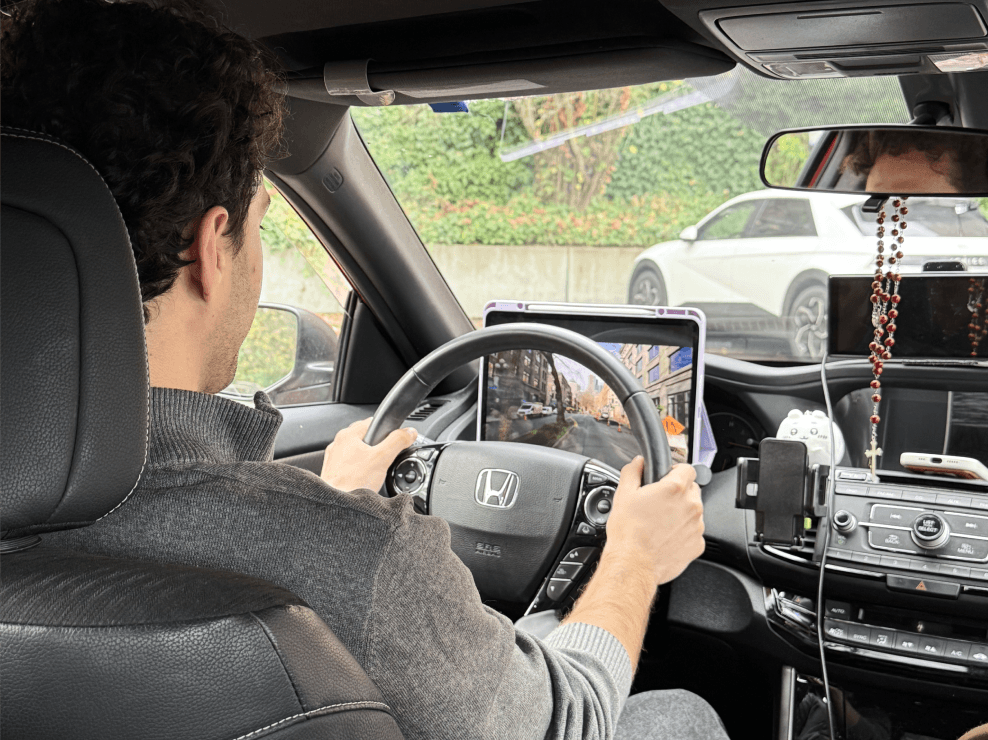
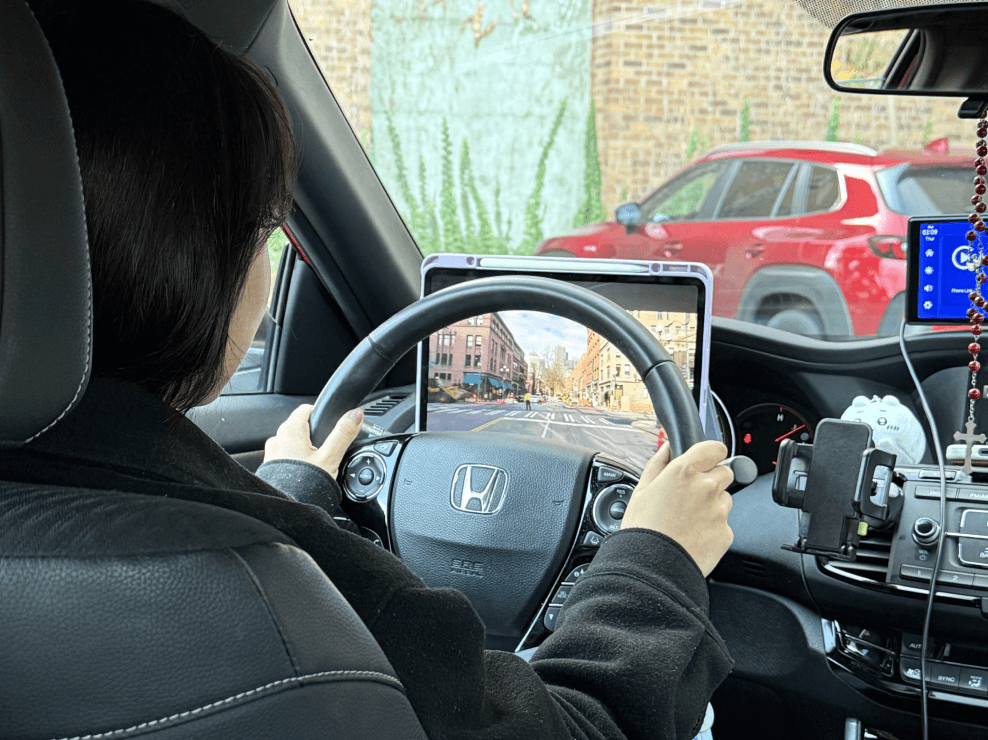
Wizard-of-Oz prototyping: Our teammate voice acted as the companion to simulate its AI responses.
Driving simulation: We played 3 different driving videos, each representing different environments and traffic situations (urban traffic, rural roads, heavy traffic) to observe user behavior based on different kinds of external distractions.
Participant demographic: We tested with 5 total users (2 pilot, 3 full tests) aged 18-24, aligning with the target demographic we identified in our research.
Key Findings
We utilized the RITE (Rapid Iterative Test and Evaluation) method to identify usability issues and immediately fix them between sessions to maximize our limited usability test sessions. This led to 3 critical design pivots:
Physical Form of Companion: We initially used “Winnie,” a larger husky plushie, but users mentioned that the size hindered their visibility of crucial navigation systems when driving. We replaced “Winnie” with a smaller plushie, who fit more compactly on the dashboard while still maintaining the friendly sentiment.
Content Strategy (Diary vs. Notebook): Our initial “voice diary” feature encouraged users to talk about their day, but users hesitated because the idea of a “diary” felt too personal and didn’t match their habits. Instead, they naturally used it for productive tasks like grocery lists or quick notes while driving. To better reflect this behavior, we renamed the feature “voice notebook,” positioning it as a more flexible, open-ended tool.
Phone and Car Integrations: Our companion was originally limited to its voice recording, conversation, and voice letter features. However, all of our users assumed that it had similar capabilities to Siri, who could update them on the traffic situation or make phone calls for them. Many struggled to manage multiple stimuli without this support, making it clear that our solution would benefit from deeper integration with these systems to better support the driver.
Low-Fidelity Companion App
We also presented a prototype of our companion app at the end of the driving simulation to observe and gather feedback on usability and features they would like to see.